
An atomic, incremental counter for DynamoDB with Lambda 🎟

Photo by Pasternak
This is a post on how to atomically increment a value in a DynamoDB item with Python and Lambda. Let's keep it short and sweet, you're only looking for the code anyways😈
Permissions
Your Lambda function's role needs to have permissions to the DynamoDB table you want to work with. These are the permissions that you need for this exact situation.
- Effect: Allow
  Action:
      - dynamodb:GetItem
      - dynamodb:PutItem
      - dynamodb:UpdateItem
  Resource: "arn of your DyanamoDB table"
Lambda
This Lambda is written in Python 3.8. Make sure to have it assume the role that contains the above IAM permissions. This is the table and the item:
TableName: my_dynamo_table_name
PrimaryKey: user1
Attribute: clicks
And here is the Lambda function's code first. I'll explain in detail down below.
import json
import boto3

# Initialize dynamodb boto3 object
dynamodb = boto3.resource('dynamodb')

def lambda_handler(event, context):

    # Set up dynamodb table object
    table = dynamodb.Table('my_dynamo_table_name')

    # Atomic update an item in table or add if doesn't exist
    ddbResponse = table.update_item(
        Key={
            "id": "user1"
        },
        UpdateExpression='ADD clicks :inc',
        ExpressionAttributeValues={
            ':inc': 1
        },
        ReturnValues="UPDATED_NEW"
    )

    # Return dynamodb response object
    print(ddbResponse)
    return ddbResponse
Breaking it down
import json&import boto3are for importing the necessary libraries.dynamodb = boto3.resource('dynamodb')initializes a DynamoDB boto3 object (outside of the function)table = dynamodb.Table('my_dynamo_table_name')initializes the "connection" to the table calledmy_dynamo_table_nameand puts it into thetableobject.ddbResponse = table.update_item(...is the key here! This is the part where all communication with DyanmoDB happens.Key={"id": "user1"},is referring to the item's primary key. As you've seen above, this table's PK isid, and since this item doesn't exist yet (because I haven't created it in the table, nor will I have to), I'll just call its PKuser1.UpdateExpression='ADD clicks :inc',will tell DynamoDB how to update the item from above. ThatADDis very important, as it could beSETorREMOVE.ADDmeans that instead of just setting an elready existing attribute's value, this can also create the item or the attribute if it doesn't exist. This is crucial because you don't want to manually have to create every attribute and item that's in your table. The next part isclicks :incwhereclicksis the name of an/the attribute of your item.ExpressionAttributeValues={ ':inc': 1 },defines that:incvalue, it can be called anything, it just hast to match with the above line. This is where you can set how much you want to increment the value every time the function runs, we'll stick with one.ReturnValues="UPDATED_NEW"defines what will be returned by theupdate_itemoperation. We only care about the finished value so we'll keep it at this.
And that's it basically! After that it prints the response from the DynamoDB operation and you can see that the item and it's attribute got created and then incrementally updated in a single operation (atomically). If the item exists already, it will only increment its value and not recreate it.
Test
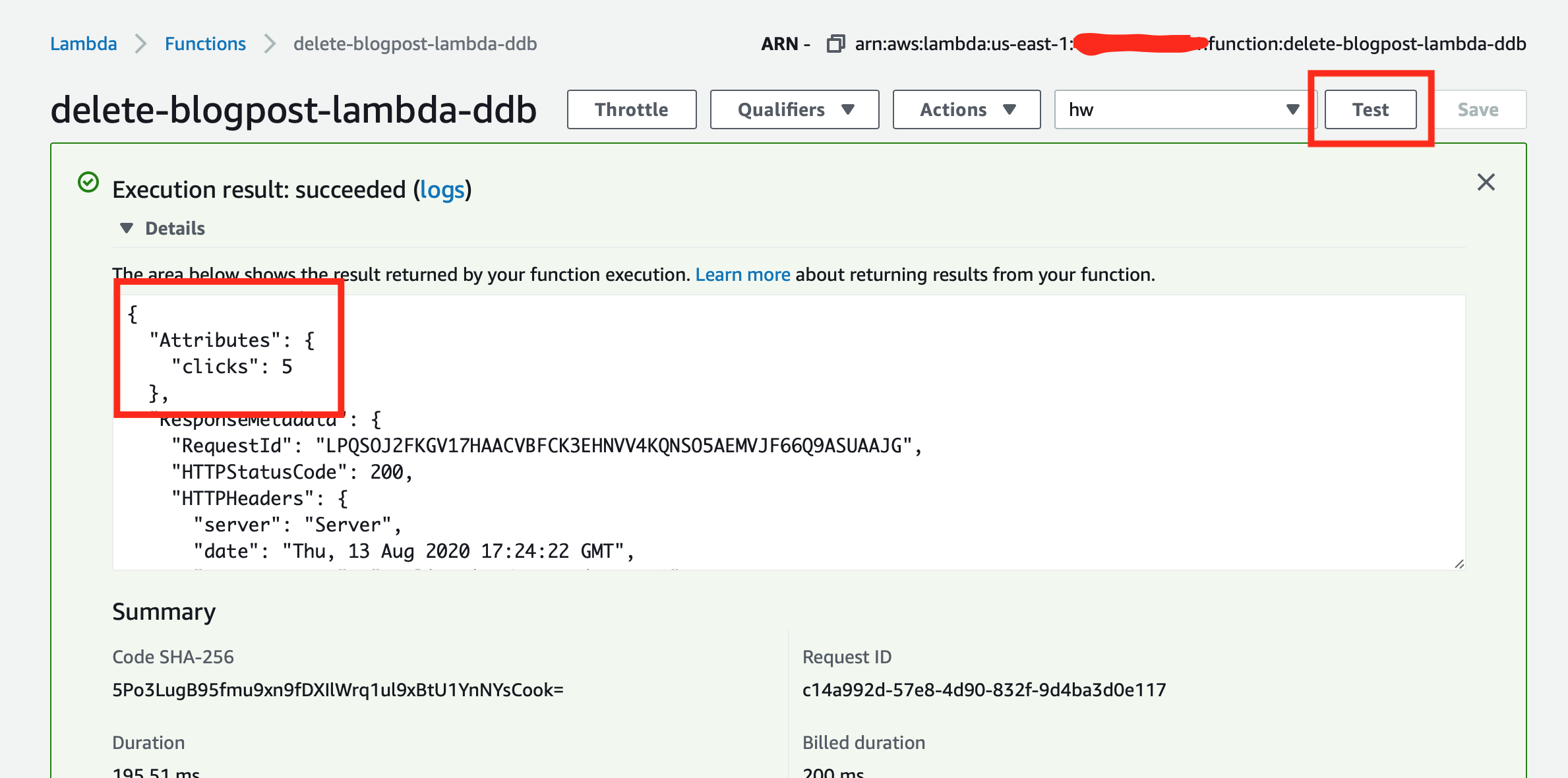
You can test it right in the console. Make sure that you created the DynamoDB table however (no need to create the item). Then just "Test" the Lambda in the console and you should see something like this:
Yo, let's connect
Check me out on Twitter - Chris Nagy - if you have any questions or just wanna chat😉
Comments
Join the discussionNo comments yet. Be the first to comment.


